


ALIENWARE GAMING LAPTOPS, DESKTOPS & ACCESSORIES


Explore Laptop Features
New Cryo-Chamber
Our new Cryo-Chamber structure elevates the rear of the laptop off the surface enabling high-volume airflow, all for the purpose of increasing performance and dampening acoustics.

Performance Driven Thermals
Engineered for intensive gaming sessions, each Alienware Cryo-tech™ design efficiently transfers heat away from critical components via load-balancing heat pipes, vapor chambers and Element 31.

Heat-Diminishing Element 31
Alienware's unique, gallium-based Element 31 thermal interface material is used on Area-51 laptop CPUs or GPUs to prioritize performance by accelerating the dissipation of heat.

Optimized Airflow
Designed to intelligently manage thermal activity for maximum performance, every Alienware laptop is designed with an intentional array of air intakes and exhausts tested to deliver the performance you need.
Premium Materials
Our latest Alienware laptops are designed with materials like anodized aluminum and magnesium alloy, providing structural rigidity and an optimized design built around performance.

Comfort to the Forefront
The new AW30 Industrial Design introduces comfortable palm rests and an easy-to-open lid.

Highly-Tactile Keyboard
Experience the world's first ultra-low-profile mechanical keyboard with 1.8mm key-travel and a 15 million keystroke lifecycle courtesy of our latest collaboration with Cherry as an optional upgrade.

More Beauty, Less Blur
Area-51 and Aurora laptops reduce visual blurring effects with VESA Clear Motion Ratio. Aurora 240Hz and 16 Area-51 laptops use CMR7000, and 18 Area-51 laptops boast CMR8000 for sharp visuals.
COMPARE
| Facet |
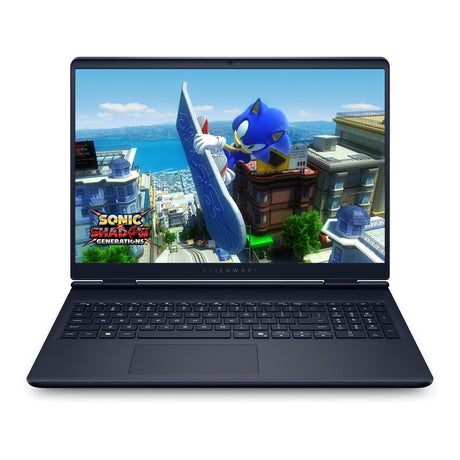
Dell Alienware 16 Aurora 16-inch Core 9 270H 16GB RAM 1TB SSD RTX 5060 Win 11 Home Gaming Laptop View details |
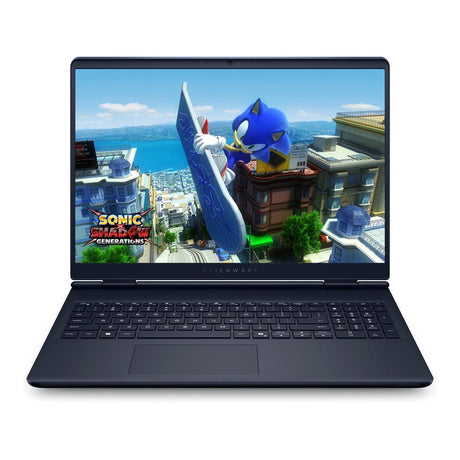
Dell Alienware 16 Aurora 16-inch Core 9 270H 32GB RAM 1TB SSD RTX 5070 Win 11 Home Gaming Laptop View details |
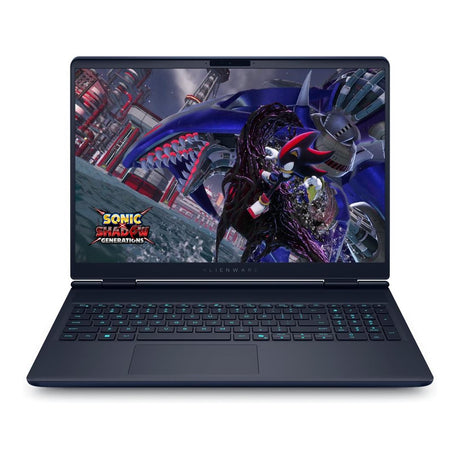
Dell Alienware 16X Aurora 16-inch Core Ultra 9 275HX 32GB RAM 1TB SSD RTX 5070 Win 11 Home AI Gaming Laptop View details |
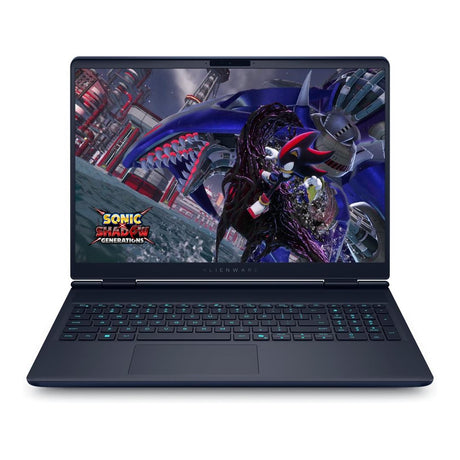
Dell Alienware 16X Aurora 16-inch Core Ultra 9 275HX 32GB RAM 2TB SSD RTX 5070 Win 11 Home AI Gaming Laptop View details |
|---|---|---|---|---|
| Price | ||||
| Price |
AED 8,199.00
Unit price
/
Unavailable
|
AED 8,999.00
Unit price
/
Unavailable
|
AED 8,699.00
Unit price
/
Unavailable
|
AED 9,299.00
Unit price
/
Unavailable
|
| Processor | ||||
| Processor | Intel Core 9 | Intel Core 9 | Intel Core Ultra 9 | Intel Core Ultra 9 |
| RAM | ||||
| RAM | 16 GB | 32 GB | 32 GB | 32 GB |
| SSD / Storage | ||||
| SSD / Storage | 1 TB | 1 TB | 1 TB | 2 TB |
| Screen | ||||
| Screen | 16 Inch | 16 Inch | 16 Inch | 16 Inch |
| OS | ||||
| OS | Windows 11 Home | Windows 11 Home | Windows 11 Home | Windows 11 Home |
| Graphics Processor | ||||
| Graphics Processor | Nvidia GeForce RTX | Nvidia GeForce RTX | Nvidia GeForce RTX | Nvidia GeForce RTX |
- New arrival
Dell Alienware 25 320Hz Gaming Monitor - AW2525HM (Open Box)
- Screen:24.5 Inch
- Resolution:FHD
- Screen Shape:Flat
- Pixels:1920 x 1080
- Refresh:320Hz
AED 960.00Unit price /Unavailable - New arrival
- Processor:Intel Core 7
- RAM:32 GB
- SSD / Storage:1 TB
- Screen:16 Inch
- OS:Windows 11 Home
AED 9,399.00Unit price /Unavailable Dell Alienware 25 320Hz Gaming Monitor - AW2525HM
- Screen:24.5 Inch
- Resolution:FHD
- Screen Shape:Flat
- Pixels:1920 x 1080
- Refresh:320Hz
AED 970.00Unit price /Unavailable


Alienware Gaming Laptops – FAQs for UAE Gamers
What should you look for when buying a gaming laptop in the UAE?
What should you look for when buying a gaming laptop in the UAE?
Choose a laptop with a strong graphics card, a fast processor, plenty of RAM, and a good cooling setup. A high refresh rate screen and quick SSD storage also make a noticeable difference. These are the areas that matter most if you play modern titles or competitive games.
What are the key specs that make a gaming laptop worth it?
What are the key specs that make a gaming laptop worth it?
Aim for a recent Intel or AMD processor, an NVIDIA GeForce RTX GPU, at least 16GB of memory, an NVMe SSD, and a display starting at 165Hz. These specs handle today’s games well and keep the system responsive even with heavier workloads.
What graphics cards do Alienware laptops include?
What graphics cards do Alienware laptops include?
Alienware models typically use NVIDIA GeForce RTX cards. These deliver strong performance in visually demanding games and support features like ray tracing for more realistic lighting.
How does the cooling system in Alienware laptops work?
How does the cooling system in Alienware laptops work?
The laptops use a mix of intake vents, exhaust vents, and dedicated fans to move heat away from the main components. The layout helps keep temperatures steady, which is useful in warmer UAE climates where heat buildup can become a problem.
What is Alienware Cryo-tech?
What is Alienware Cryo-tech?
Cryo-tech refers to the thermal design used in Alienware models. It can include vapor chambers, upgraded heat pipes, and fans built to push out heat efficiently. The goal is simple: keep the system running at full power without overheating.
What can you do with Alienware Command Center?
What can you do with Alienware Command Center?
The Command Center lets you adjust performance settings, fan behavior, and lighting options. You can set up profiles for different games or tasks and keep everything organized in one place.
Where can I find the size and weight details for each laptop?
Where can I find the size and weight details for each laptop?
Each model’s page includes a section with the full measurements and weight. This helps when comparing laptops or checking if a certain size fits your bag or desk setup.
What should UAE buyers consider if they need a more portable gaming option?
What should UAE buyers consider if they need a more portable gaming option?
If you move between home, work, and other places around Dubai or Abu Dhabi, a 15-inch or 16-inch Alienware laptop is a good fit. These models keep strong performance while staying easier to carry.