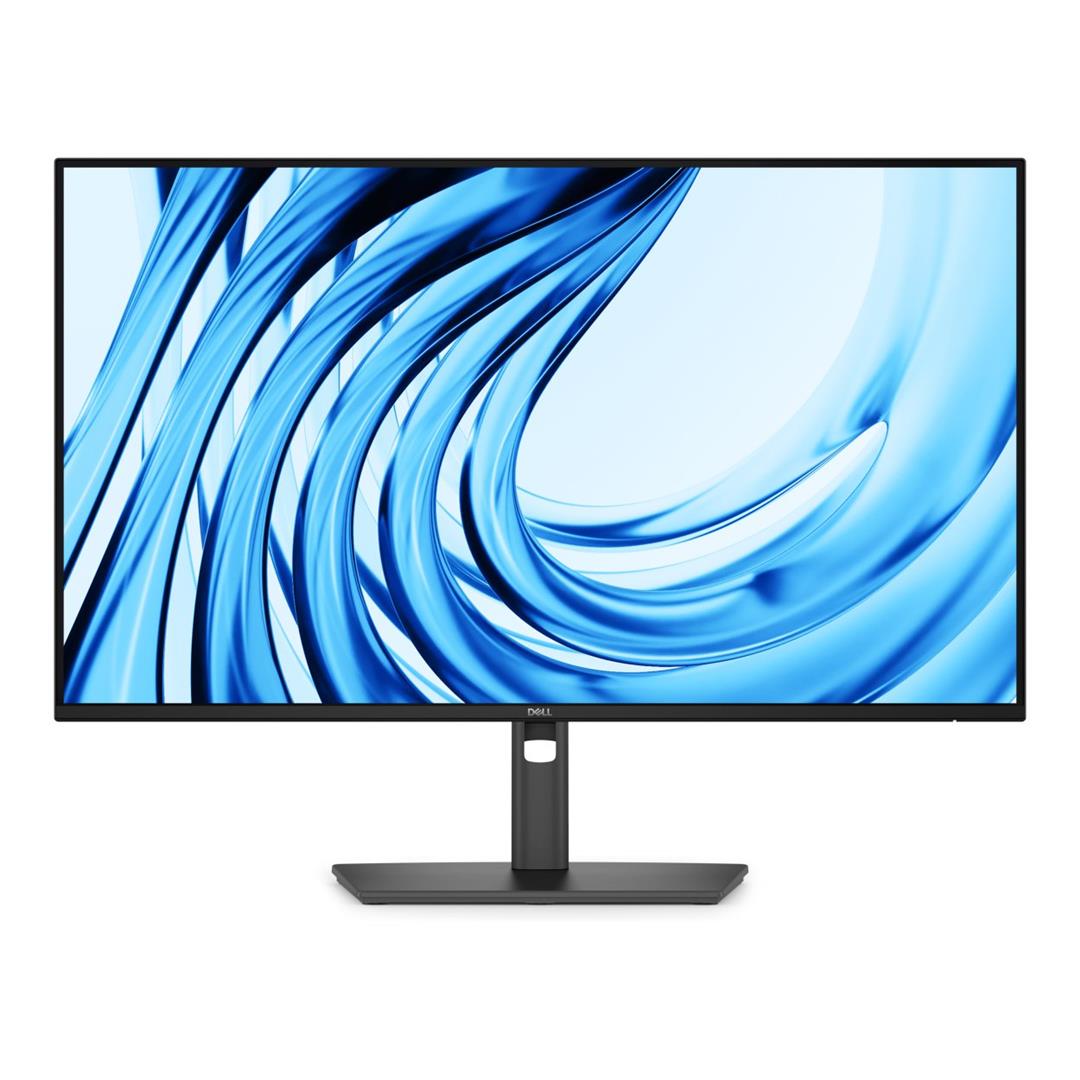
Dell Pro P 27 Monitor - P2726H
- Screen:27 Inch
- Resolution:FHD
- Screen Shape:Flat
- Pixels:1920 x 1080
- Refresh:120Hz
Dell Pro P 27 Monitor - P2726H is backordered and will ship as soon as it is back in stock.
Couldn't load pickup availability
Delivery and Shipping
Delivery and Shipping
* Delivery expected within 3 to 4 working days.
Easy Returns
Easy Returns
Buy With Confidence. 14 Day Returns. Online. Learn More
Description
Description


Key Features
- Anti-glare
- sRGB
- Eye Comfort Technology
- Low Blue Light
- Flicker-free
- Cable Lock Slot
- Security Lock
- BFR Free
- PVC Free
- Arsenic-free Glass
- Mercury-free
Technical Specifications
| Specification | Details |
| Brand | Dell |
| Model | P2726H |
| Manufacturer Part Number | 210-BVKP |
| Product Type | LED IPS Monitor |
| Display Size | 27-inch |
| Viewable Screen Size | 27-inch |
| Screen Mode | Full HD |
| Resolution | 1920 x 1080 (Full HD) |
| Aspect Ratio | 16:9 |
| Panel Type | In-plane Switching (IPS) Technology |
| Refresh Rate | 120Hz |
| Response Time | 5ms GTG (Fast) 8ms GTG |
| Brightness | 300 cd/m² |
| Contrast Ratio | 1500:1 |
| Colour Support | 16.7 Million Colours |
| Colour Gamut | 99% sRGB (CIE 1931) 99% BT.709 (CIE 1931) |
| Pixel Pitch | 0.3114 mm x 0.3114 mm |
| Pixels Per Inch (PPI) | 82 |
| Viewing Angle | 178° Horizontal 178° Vertical |
| Surface Treatment | Anti-glare |
| Glass Hardness | 3H |
| Flicker Free | Yes |
| Low Blue Light | Yes |
| HDCP Supported | Yes |
| Stand Included | Yes |
| Stand Adjustments | Height Tilt Swivel Pivot |
| VESA Mount Compatibility | 100 x 100 mm |
| Maximum Adjustable Height | 150 mm |
| Tilt Angle | -5° to 21° |
| Swivel Angle | -45° to 45° |
| Pivot Angle | +/-90° |
| Built-in Devices | USB Hub |
| Connectivity | 1 x HDMI (HDCP 1.4), supports up to 1920 x 1080 at 120Hz as specified in HDMI 1.4 1 x DisplayPort 1.4 (HDCP 1.4) 2 x USB Type-A 5Gbps Downstream Ports 1 x USB Type-B 5Gbps Upstream Port 2 x USB-C 5Gbps Downstream Ports with Power Delivery up to 15W |
| Input Voltage Range | 100V AC to 240V AC |
| Frequency | 50Hz 60Hz |
| Operating Power Consumption | 13.5 W |
| Standby Power Consumption | 0.5 W |
| Off-Mode Power Consumption | 0.3 W |
| Maximum Power Consumption | 74 W |
| Product Colour | Dark Gray |
| Height | 354.71 mm |
| Width | 610.69 mm |
| Depth | 50.03 mm |
| Height with Stand | 534.56 mm |
| Width with Stand | 610.69 mm |
| Depth with Stand | 192.28 mm |
| Compressed Height with Stand | 384.56 mm |
| Extended Height with Stand | 534.56 mm |
| Bezel Width (Top) | 6.40 mm |
| Bezel Width (Bottom) | 12 mm |
| Bezel Width (Left) | 6.40 mm |
| Bezel Width (Right) | 6.40 mm |
| Weight (Approximate) | 3.99 kg |
| Stand Height | 428.30 mm |
| Stand Width | 272.80 mm |
| Stand Depth | 192.28 mm |
| Weight (with Packaging) with Stand | 8.52 kg |
| Weight (with Packaging) without Stand | 3.99 kg |
| Weight with Stand & Cables (Approximate) | 6.06 kg |
| Dell Display and Peripheral Manager Compatibility | Yes |
| Warranty | 3-Year Advanced Exchange Service and Premium Panel Exchange |
| Package Contents | Monitor Stand QR Card Safety, Environmental, and Regulatory Information |
| Cable Type Included | Power Cable 1 x DisplayPort 1.4 Cable (DisplayPort to DisplayPort) - 1.80 m 1 x USB Type-A to Type-B 5Gbps Cable - 1.80 m |
Ports and Slots
- Security lock slot (based on Kensington Security Slot)
- Power connector
- HDMI 1.4 (HDCP 1.4) (Supports up to FHD 1920 x 1080 120Hz TMDS as per specified in HDMI 1.4)
- DisplayPort 1.4 (HDCP 1.4) (Supports up to FHD 1920 x 1080, 120 Hz)
- USB Type-B 5Gbps upstream
- USB Type-A 5Gbps downstream (2)
- USB-C 5Gbps downstream (up to 15W charging) (2)
- Soundbar slots (2)
- Stand lock

Features and Design
Equipped for seamless productivity, this 27-inch FHD monitor offers extensive connectivity, high refresh rate and TÜV-certified 4-star eye comfort.
Connect to productivity
Equipped with a variety of ports for all your accessories and built for versatility.
Connectivity
Wide variety of ports for all your accessories.
Remote manageability
Simplify management with Dell Display and Peripheral Manager (DDPM) and Dell Device Management Console (DDMC) through the cloud. IT administrators can configure and deploy updates with ease. Experience firmware updates that are faster, smarter, and completely silent.
Mounting compatibility
VESA compatible and an optional snap-on soundbar for added functionality.

Quick access ports
Thoughtfully designed with a bottom bezel featuring 2 USB-C (with up to 15W charging) quick-access ports, this monitor offers the convenience of easy connectivity.
An intuitive on-screen display highlights port locations, making it effortless to connect your devices.

Silent Firmware Update
Deliver an exceptional user experience with seamless firmware updates completed in just 2-3 minutes, reducing update time by up to 90%.​ Updates run during PC disconnect or monitor sleep preventing screen blackouts, along with flexible scheduling of updates ensuring 100% uninterrupted user productivity with guaranteed execution and compliance.
Enhanced eye comfort
TÜV 4-Star certified monitor for eye comfort reduces eye fatigue while you work.
Reduces blue light
This monitor features hardware low blue light technology, reducing harmful blue light emissions to ≤35% for all day eye comfort without sacrificing colour.
Refresh rate
120Hz refresh rate delivers less flicker, more seamless scrolling and smoother motion.

Vivid colours
Experience wide colour coverage of 99% sRGB and 99% BT.709 with up to 16.7 million displayable colours for vibrant and accurate visuals.
Work in clear detail
Colour consistency
Consistent, vibrant colours across wide viewing angles enabled by In-Plane Switching (IPS) technology.
Exceptional contrast
1500:1 contrast ratio for deeper blacks and brighter whites.
Designed for comfort and ease
Adjustability to meet your preferences throughout the day, complemented by an ultra-thin bezel for a sleek design.
- Tilt
- Swivel
- Pivot
- Height
Dell Display and Peripheral Manager
Experience Dell’s singular, innovative application to optimise the performance of your entire Dell PC workspace.
Maximise productivity
Easy Arrange tiles apps across screens with pre-set partitions and customises up to five windows, enhancing multitasking. Easy Arrange Memory saves and restores app profiles manually, on schedule, or at start-up.
Customise your views
Work comfortably, day or night. Automate your brightness and contrast settings to match your schedule.
More manageable
Save time and boost IT efficiency with the Dell Device Management Console to manage your Dell peripheral fleet at scale, from a single cloud-based console. Discover expanded Command Line Interface features from Dell Display and Peripheral Manager.
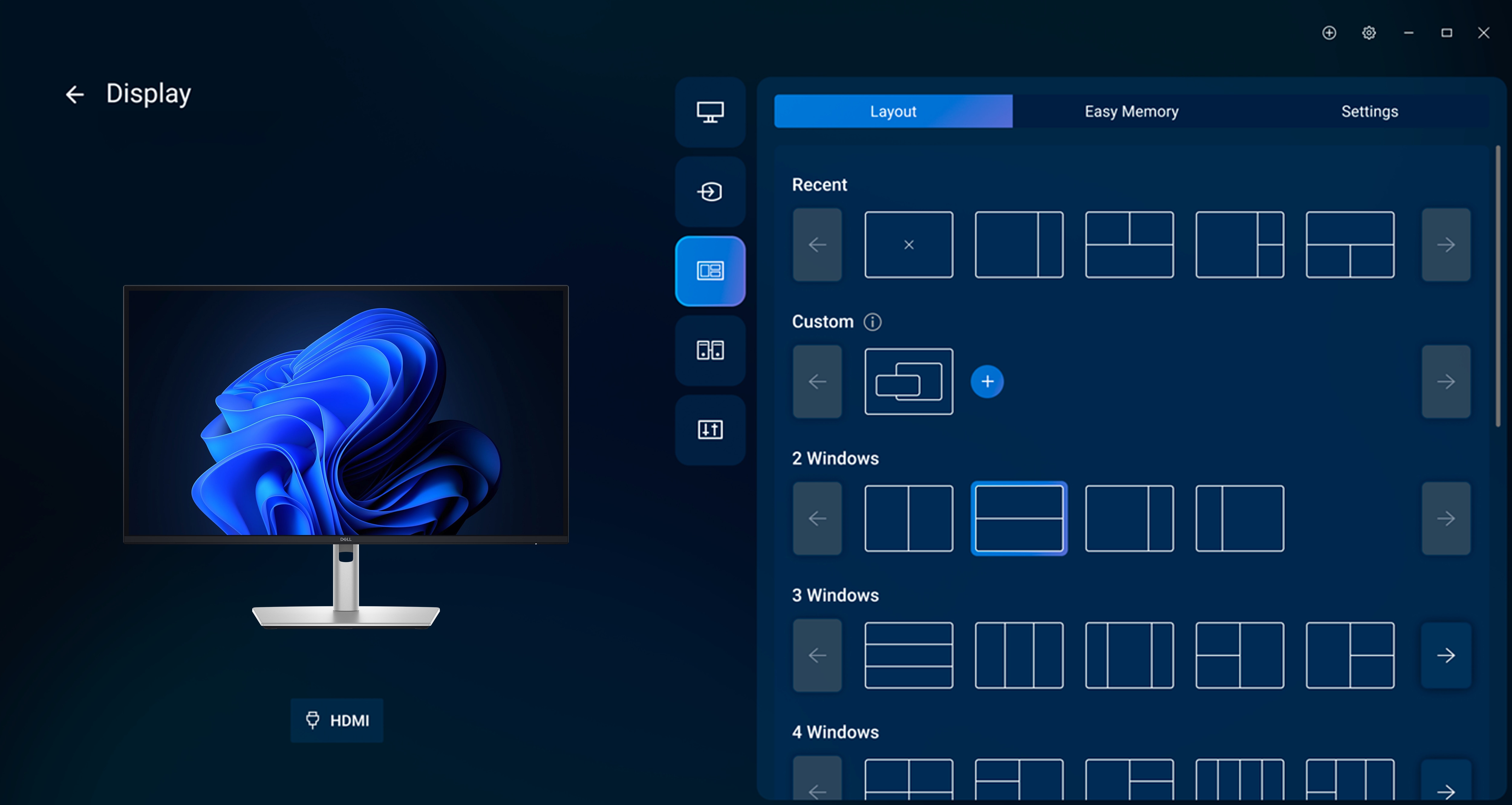
Disclaimer: Screen image simulated for illustrative purposes only. Monitor model may vary.
Dimensions
- Extended: 534.56 mm (21.05 in.)
Compressed: 384.56 mm (15.14 in.) - Monitor width: 610.69 mm (24.04 in.)
- Monitor height: 354.71 mm (13.97 in.)
- Stand width: 272.80 mm (10.74 in.)
- Monitor depth: 50.03 mm (1.97 in.)
-
Stand height:
Extended: 428.30 mm (16.86 in.)
Compressed: 381.50 mm (15.02 in.) - Stand depth: 192.28 mm (7.57 in.)


Payment & Security
Payment methods
Your payment information is processed securely. We do not store credit card details nor have access to your credit card information.
Shop Dell Direct